29 April 2015

Marlborough Computers in Homes Training

Programmes are going very well at Redwoodtown School and nearing the end of their ten weeks of training.  The subsidised internet connections are now organised.  The Graduation for all the training groups will be held in another week and then the computers will be taken home.  That will be a great celebration!! 

I would also like to say welcome to Ngati Apa ki te Ra To Trust who will be hosting a Computers in Homes programme in early June.  They have organised two tutors to support the learning.  We will hear more about the programme at a later date.


Ngati Apa ki te Ra To Trust venue for training
Cheers Denise

4 March 2015

Classes begin at Redwoodtown School

What a great start to the year!!   25 families are attending three classes of Computers in Homes training at Redwoodtown School.  Gary Hildyard, Principal of Redwoodtown School was happy to host families from surrounding schools and with the amazing help of Lapu to bring this all together, we now have families involved from St Mary’s, Marlborough Girls', Blenheim, Bohally Intermediate, Springlands and of course Redwoodtown School. 

First sessions were held on the 18th and 19th of February, with the capable support of tutors Sharon Holm, Emma Hebbard and Rebekah Vercoe.
Sharon Holm - Wednesday
afternoon tutor
Emma Hebbard - Wednesday evening tutor

Rebekah Vercoe - Thursday evening tutor

It was lovely for me to attend these first sessions and meet all the families and watch you play around with the Paint programme and get familiar with the computer set up. 
 
Wednesday afternoon class
Wednesday evening class


Thursday evening class
I will enjoy hearing how you are all progressing over the next 10 weeks. 
Enjoy your learning!!
Cheers
Denise

25 February 2015

BYOD at Parklands

Parklands have two classes working with BYOD this year and so more families have come onto the BYOD programme.  Thanks to Kate and Andrea for leading the three training sessions for these families, supporting them through safety issues and organising the devices to work well for their children.  There was much laughter during session two as everyone tried to navigate through their setting up process.  I was able to visit on the last session and enjoyed hearing how the devices were going to be used with the children in their classes, and then the devices were on their way home!!

Parkland families heading home with their BYOD devices.

20 January 2015

More FREE Stepping UP classes in Nelson/ Marlborough Libraries

Hi
Our libraries are gearing up for the coming term and have offered great programmes again.  You can enrol at the library or go online to steppingup.org.nz, choose Nelson-Marlborough Courses from the 'Courses' tab and then Register for the class you are interested in learning more about at the library of your preference.

Here are their FREE programmes:-


Marlborough District Library
Word 1                               Tuesday 10 February        9-11am
Word 2                               Tuesday 17 February        9-11am
TradeMe                             Tuesday 24 February        9-11am
Computer Basics                  Thursday 26 February       6.30-8.30pm
Computer Basics                  Tuesday 3 March              9-11am
Home finances                     Tuesday 10 March            9-11am
Google and the Internet        Tuesday 17 March            9-11am
Google and the Internet        Tuesday 24 March            9-11am
Facebook                                  Tuesday 31 March               9-11am

Picton Library and Service Centre
Computer Basics                    Wednesday 18 February   9.30-11.30am
Word 1                                    Wednesday 25 February   9.30-11.30am
Word 2                                    Wednesday 4 March         9.30-11.30am
Email 1                                    Wednesday 18 March       9.30-11.30am
Email 2                                    Wednesday 25 March       9.30-11.30am
Google & the Internet              Wednesday 1 April            9.30-11.30am
Internet & Safety Security       Wednesday 8 April            9.30-11.30am
Facebook                                Wednesday 15 April          9.30-11.30am

Nelson Public Libraries
Word 1&2                               Wednesday 11 February  10-12noon
Basic Internet*                       Thursday 12 February       10-12noon
Employment 1                        Wednesday 18 February  10-12noon
Youtube                                 Thursday 19 February       10-12noon
Employment 2                        Wednesday 25 February  10-12noon
Newspapers Online*              Thursday 26 February      10-12noon
Real Me                                  Wednesday 4 March        10-12noon
Skype                                     Thursday 5 March            10-12noon
Spreadsheets                         Wednesday 11 March      10-12noon
Research/Online resources*  Thursday 12 March           10-12noon
Ebook*                                    Tuesday 17 March            5.30-6.30pm
Internet Security and Safety   Wednesday 18 March      10-12noon
Intro to Social Media              Thursday 19 March           10-12noon
Digital Imaging                       Wednesday 25 March       10-12noon
Trade Me                               Thursday 26 March           10-12noon  
Intro to Tablets                       Wednesday 1 April           10-12noon
Travel Planning*                    Thursday 2 April                10-12noon

Stoke Library
Intro to Tablets                       Friday 13 February            8.45-9.45am
Word 1                                   Friday 20 February            8.45-9.45am
Word 2                                   Friday 27 February            8.45-9.45am
Employment 1                        Friday 20 March                8.45-9.45am
Employment 2                        Friday 27 March                8.45-9.45am


Nightingale Library Memorial (Tahunanui)
Basic Internet*                    Thursday 12 March     2-4pm 
Internet Security & Safety   Thursday 26 March     2-4pm 

 
Tasman District Library
Computer Basics                          Tuesday 3 March                  10-12noon
Email 1                                         Thursday 5 March                 1-3pm
Email 2                                         Tuesday 10 March                10-12noon
Computer Basics                          Thursday 12 March               10-12noon
Email 2                                         Tuesday 17 March                10-12noon
Home Finances                            Thursday 19 March               1-3pm
Digital Photos                               Tuesday 24 March                10-12noon
Skype                                           Thursday 26 March               10-12noon
Internet Security & Safety            Tuesday 31 March                10-12noon
Digital Photos                               Thursday 2 April                   1-3pm
Home Finances                            Tuesday 7 April                    10-12noon
Intro to Social Media                    Thursday 9 April                   10-12noon
Trade Me                                      Tuesday 14 April                 10-12noon
Internet Security & Safety             Thursday 16 April               1-3pm
Employment 1                               Tuesday 21 April                10-12noon
Employment 2                               Thursday 23 April               10-12noon
Facebook                                      Tuesday 28 April                 10-12noon
Google & the Internet                   Thursday 30 April                 1-3pm
 

Enjoy!!  Denise

12 January 2015

Belated Christmas Greetings

Sorry this post didn't go live before Christmas!!!!

9 December 2014

It is nearly that time again - and it seems schools are crazily packing in lots of fun events to finish the year with.

Redwoodtown School has set their Computers in Homes programme to start in the third week of Term 1, 2015.  We held a meeting last week to meet the families and explain how the programme works.  Redwoodtown has generously offered to host other schools, and families from Bohally Intermediate, Blenheim School, and St Mary's School will also be participating.  It was lovely to meet all of you and very exciting to see Computers in Homes returning to the Blenheim area.


Merry Christmas....
Denise

3 November 2014

Congratulations Stoke School!!!!!


Stoke has now held their Graduation for the 27 families who have successfully completed their Computers in Homes training programme.  This is amazing. 


Well done to all the families, as well as to Pete, Principal of Stoke School and his staff.  It has been a pleasure to work with Pete and his team and a pleasure to support Heather as she worked with families for their three classes each week.

During the graduation we were entertained by a talk from Matt Lawry, and a colourful dancing and singing performance.


Matt Lawry


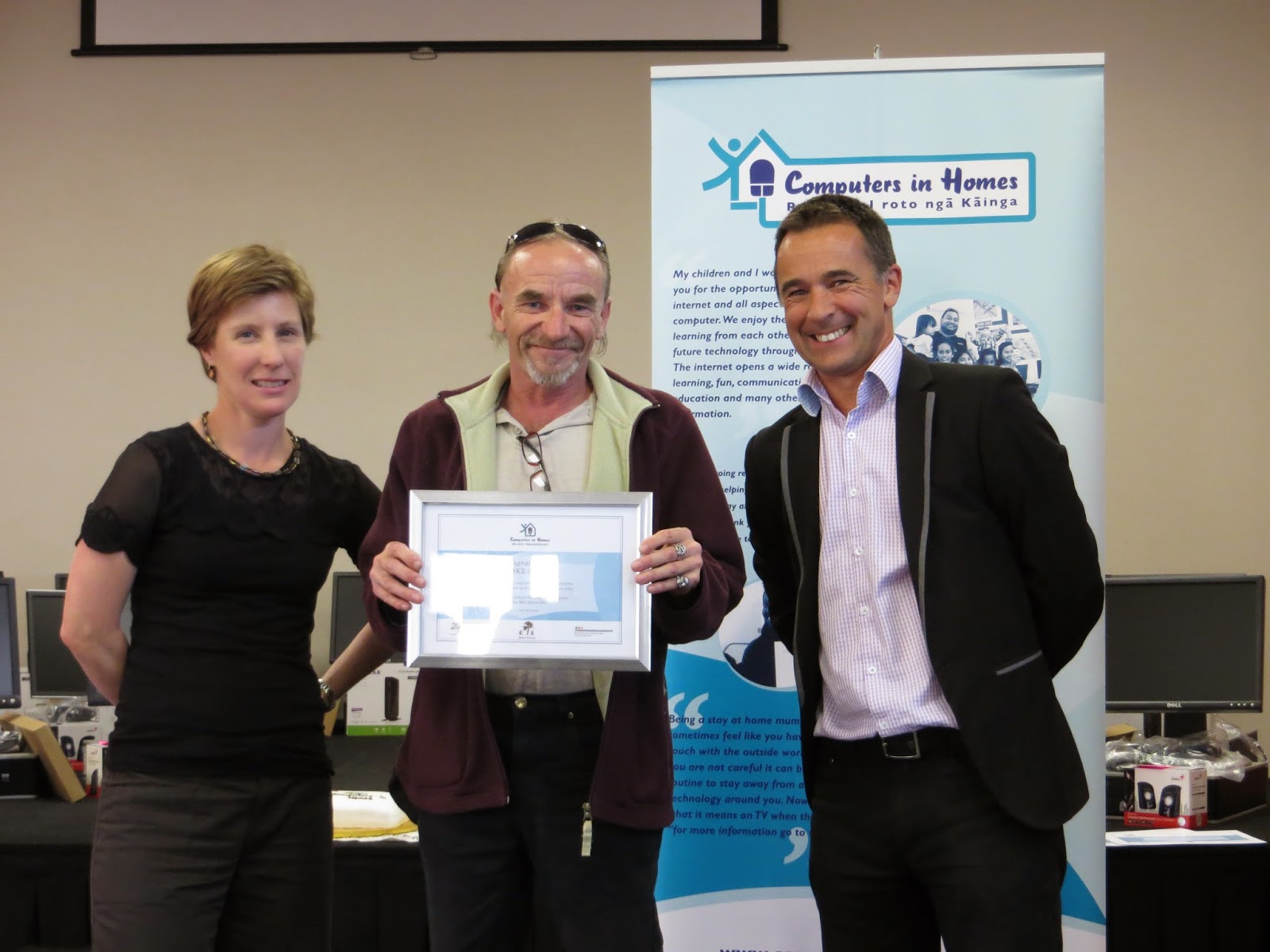
Certificates were presented to all the successful participants and their commitment to attending training was acknowledged. 

Debbie Oakley receiving her certificate.
Heather and Pete presenting Eric Harper
with his certificate.


Lance and Liu receiving their certificate.

Eric and Kim spoke to everyone to share their experiences of the Computers in Homes programme.  Then Pete invited them to cut the Graduation cake.
Eric Reweti, Kim Saunders cutting
the cake with Pete Mitchener.


And now these computers have new families to go home with.  They will be set up in family rooms by now, for the family to share and families will be waiting impatiently for their Snap internet connections to be completed.


 So, to keep your computer and your family happy, remember.......  the parents who completed the training know how to keep the computer running well and how to keep the family safe on the internet.  They are the boss of the computer so please listen to what they have to say!!

It has been great working with you all in Stoke.  Good luck with your computers and enjoy!!

Cheers
Denise

Tim's Technical Tips

Tim Jackson
You may have noticed there is now a new tab at the top of the Blog page with the title Tim's Technical Tips.  Tim our Nelson technician has offered to put regular information on this page as a response to the issues you are having at home.  You are able to post a comment or ask a question if something is niggling you at home.  Don't let it get to this stage!!!!!


If there is a major problem with your computer so that it is not working, then please contact Tim directly for help.


So far Tim has given instructions on how to connect your modems and also information on how to uninstall unwanted programmes. 

Let us know if you find our new page Tim's Technical Tips helpful.

Thanks Tim, for sharing your expertise!!

Cheers
Denise